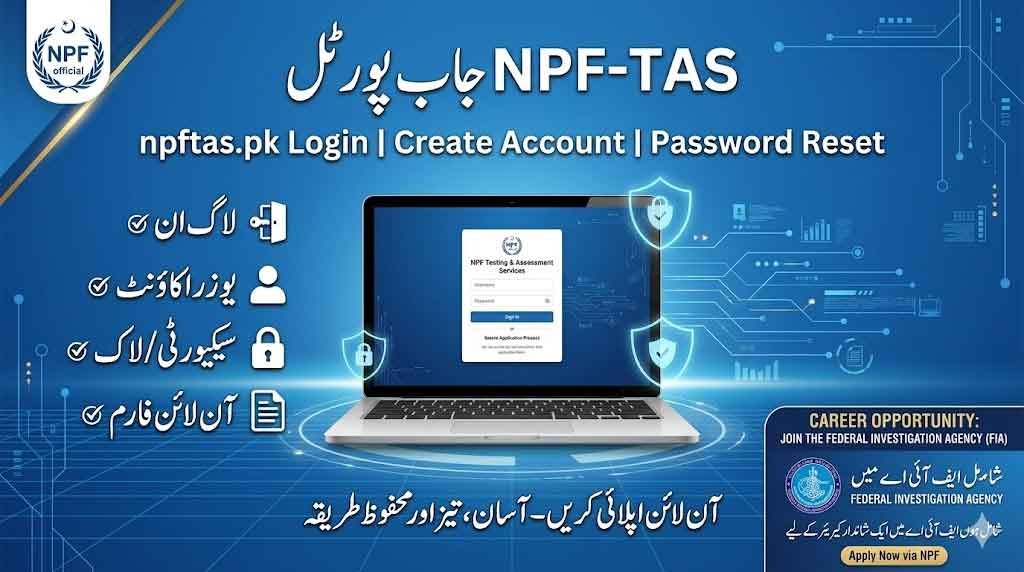
The National Police Foundation has introduced a modern online recruitment system called NPF Testing & Assessment Services (NPF-TAS). On this page learn about How to npftas.pk Jobs Login Portal 2026 Online Apply For FIA. This platform allows candidates to apply for jobs, manage accounts, and track recruitment processes online through the official npftas.pk Login Portal and Sign Up.
This article provides a complete guide on NPF-TAS Job Portal Login, Password Reset, Old Account Access, Create New Account, and FIA Online Apply.
Login npftas.pk to check FIA submitted application form status. If your application has been rejected then provide relevant information so FIA accept your application form. Candidates whose application will be accepted successfully can download roll no slip of Physical and written test.
npftas.pk Jobs Login Portal 2026 Online Apply For FIA
The NPF-TAS Job Portal (npftas.pk Login Portal/ Sign Up) is a reliable and efficient system for applying to National Police Foundation jobs. With features like Create New Account, Old Account Login, Password Reset, and Online Apply, candidates can easily manage their applications.
Whether you are applying through NPF-TAS or looking for FIA Jobs Online Apply, understanding this system will help you complete your recruitment process smoothly.
Www.npftas.pk Online Apply
| Feature | Details |
|---|---|
| Organization | National Police Foundation |
| Portal | NPF Testing & Assessment Services (NPF-TAS) |
| Website | npftas.pk Login Portal |
| Login | CNIC & Password |
| New Account | Required for online apply |
| Old Account | Use existing login details |
| Password Reset | “Forgot Password” option |
| Apply Jobs | Online through dashboard |
| FIA Apply | Via Federal Investigation Agency |
What is NPF-TAS Job Portal?
The NPF-TAS (NPF Testing & Assessment Services) is an online recruitment portal designed to:
- Publish latest NPF job opportunities
- Allow candidates to apply online
- Manage applicant profiles
- Provide test and interview updates
It simplifies the hiring process and ensures transparency for applicants across Pakistan.
Excise And Taxation Jobs 2026 excise.punjab.gov.pk
npftas.pk Login Portal – How to Login
To access the NPF-TAS Login Portal, follow these steps:
- Visit the official website: npftas.pk
- Click on the Login Portal option
- Enter your:
- CNIC number
- Password
- Click on Sign In
Once logged in, you can access your dashboard, job applications, and test details.
Create New Account on NPF-TAS Job Portal
If you are a new user, you must create a New Account:
- Open the NPF-TAS portal
- Click on Create New Account
- Enter required details:
- Full Name
- CNIC
- Mobile Number
- Email Address
- Create a strong password
- Submit the registration form
After successful registration, you can log in and apply for jobs.
Old Account Login (Existing Users)
If you already have an account:
- Use your previously registered CNIC and Password
- Access the portal through the npftas.pk Login Portal
- Update your profile if required
Password Reset – Recover Your Account
If you forgot your password, use the Password Reset option:
- Go to the Login page
- Click on Forgot Password
- Enter your CNIC or Email
- Receive OTP or reset link
- Create a new password
Make sure to use a strong and secure password for future logins.
NPF-TAS Job Portal – How to Apply For Jobs
To apply through the NPF Job Portal:
- Login to your account
- Go to Available Jobs section
- Select your desired post
- Click on Apply Online
- Fill in:
- Educational details
- Experience
- Personal information
- Upload required documents
- Submit your application
FIA Online Apply Complete Guidance
Candidates interested in applying to the Federal Investigation Agency (FIA) can follow these steps:
- Visit the official FIA website
- Check latest job advertisements
- Fill out the FIA Online Apply form
- Submit required documents
FIA recruitment may be conducted through testing services like NTS or other platforms.
NPFTAS Jobs
✔ Always enter correct CNIC and personal details
✔ Upload clear and valid documents
✔ Apply before the deadline
✔ Keep your login credentials secure
NPFTAS Jobs Portal Common Issues & Solutions
Login Issue: Unable to access account
➡ Use Password Reset option
OTP Not Received:
➡ Check mobile network or try again
Form Submission Error:
➡ Clear browser cache or use another browser